

オンラインストア
サービス予約
イベント
ポップアップ

Sibling Signup
開発元:
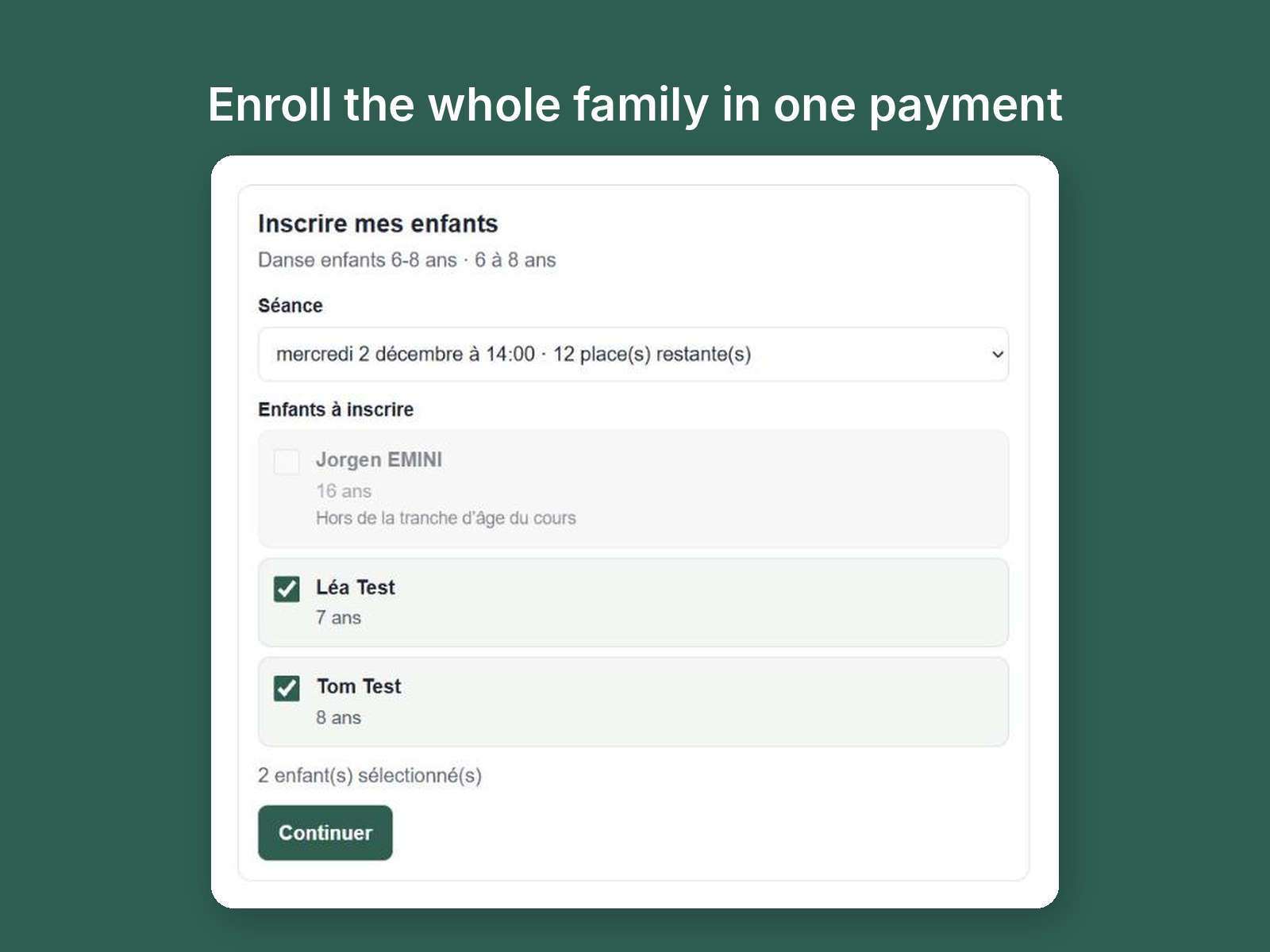
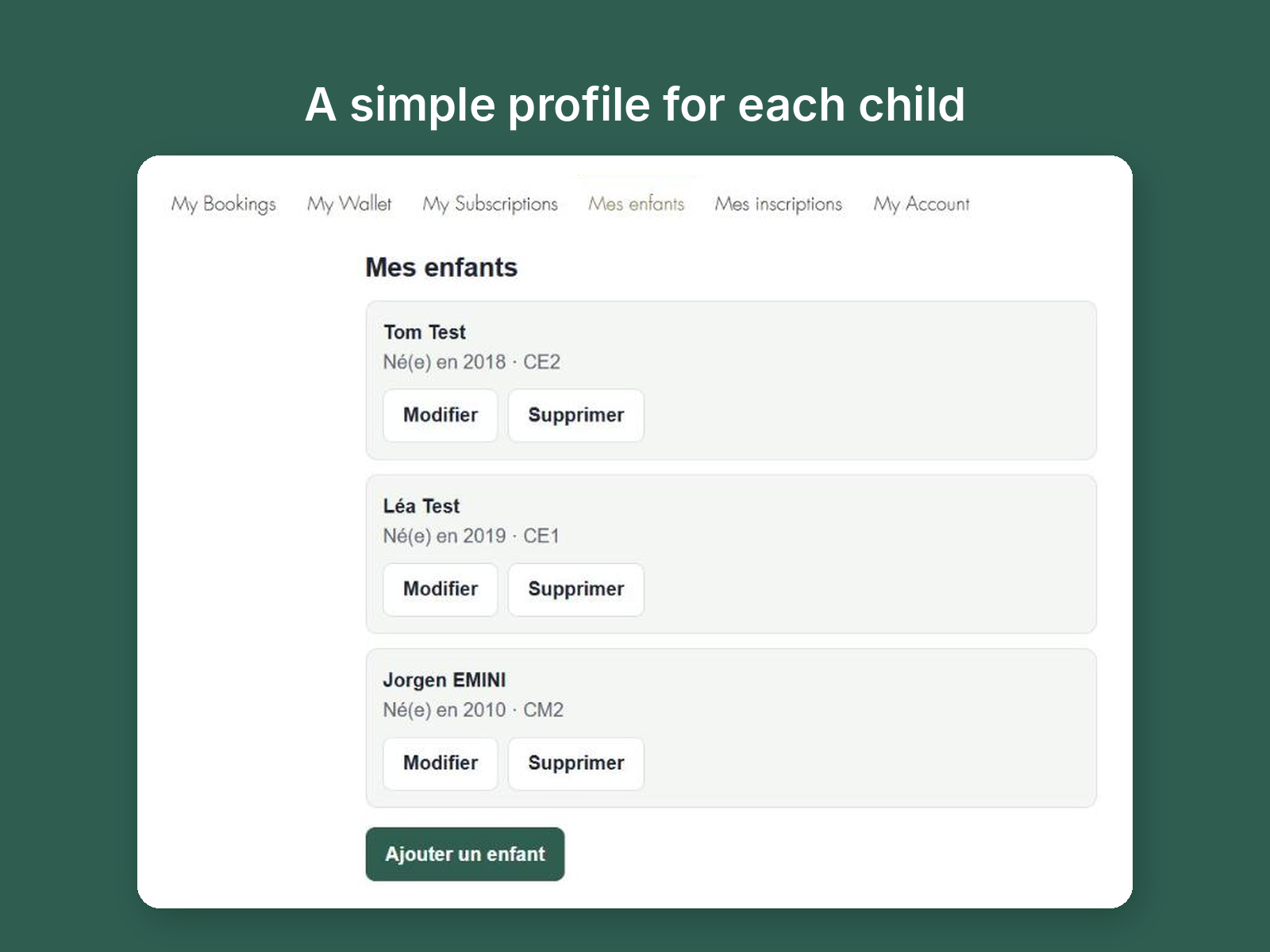
Save each child once, enroll them in one click
まだレビューはありません
無料プラン利用可能

Sibling Signup の概要
- Child profiles saved once
- No email needed for children
- Ages checked at every enrollment
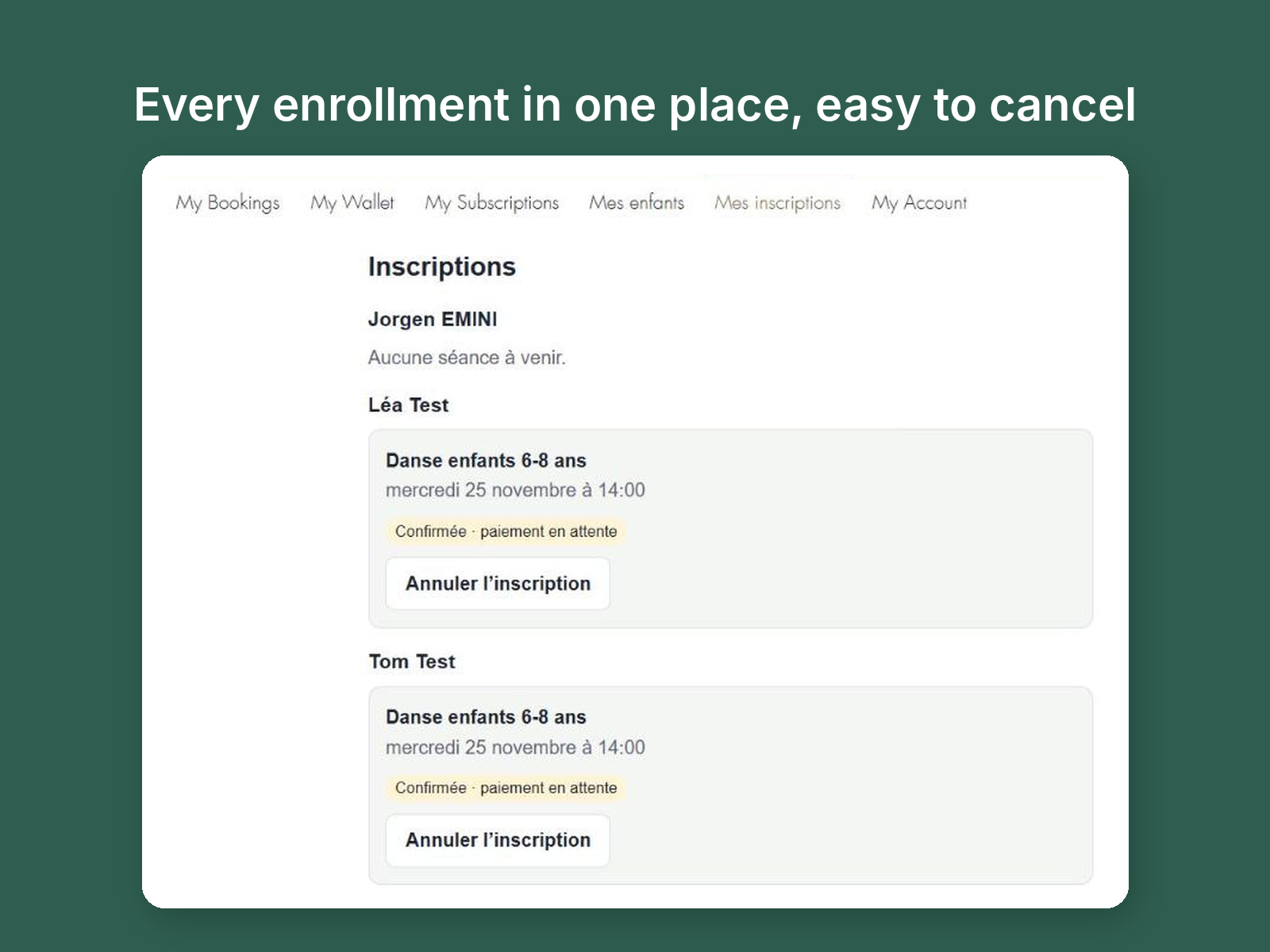
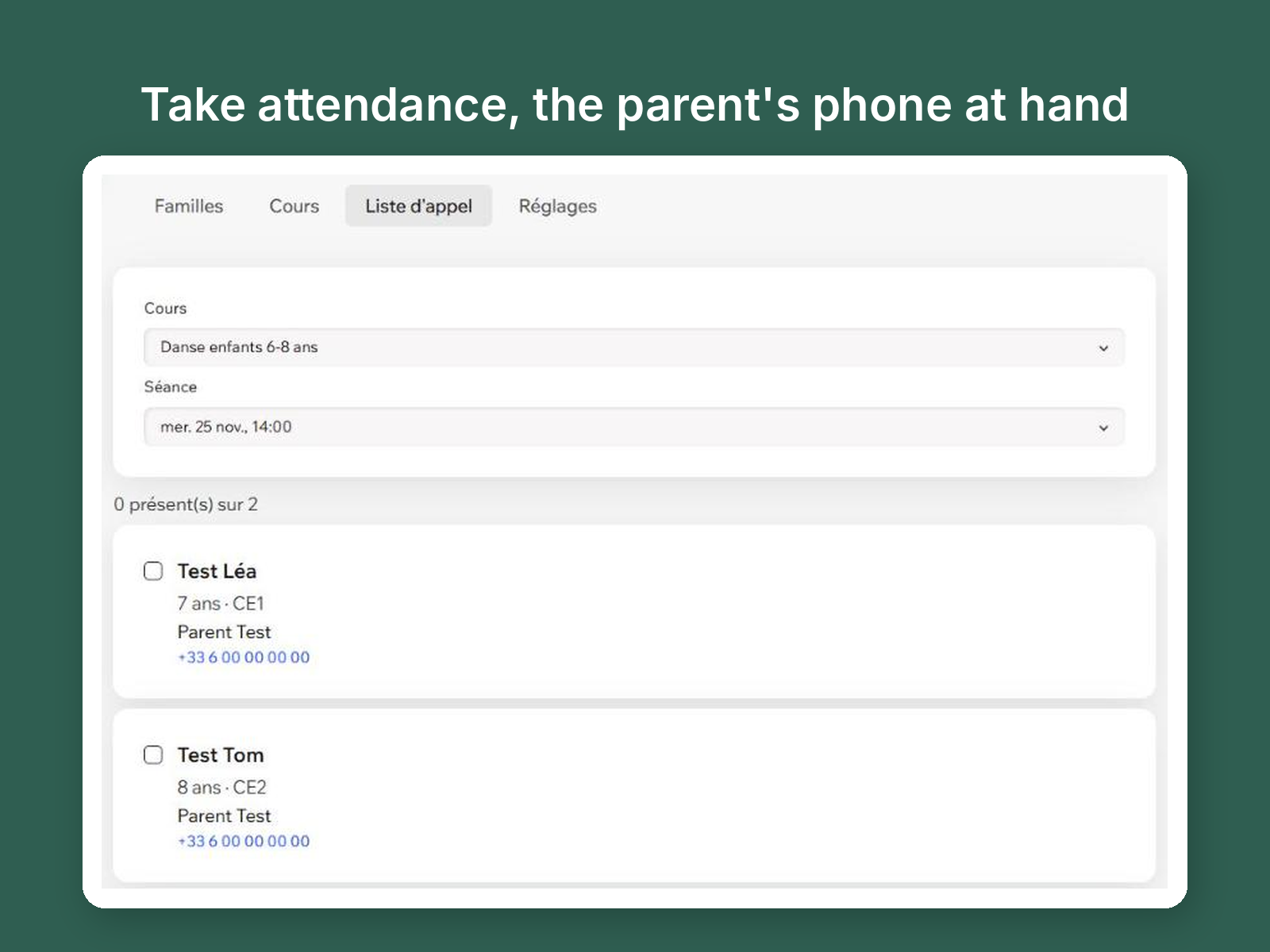
- Family view and phone roll call
評価・レビュー
まだこのアプリのレビューはありません、最初に評価しましょう。料金・プラン
Basicプラン
無料
Up to 10 children
Sibling enrollment with one payment
Phone roll call, A4 print, CSV export
Standardプラン
$
6
67
/月
Up to 100 children
Sibling enrollment with one payment
Phone roll call, A4 print, CSV export
Unlimitedプラン
$
13
33
/月
Unlimited children
Sibling enrollment with one payment
Phone roll call, A4 print, CSV export
* 価格はUSDです。