

オンラインストア
サービス予約
イベント
ポップアップ

Appointment Waitlist
開発元:
Never miss a chance to get booked
2.0
インストール無料


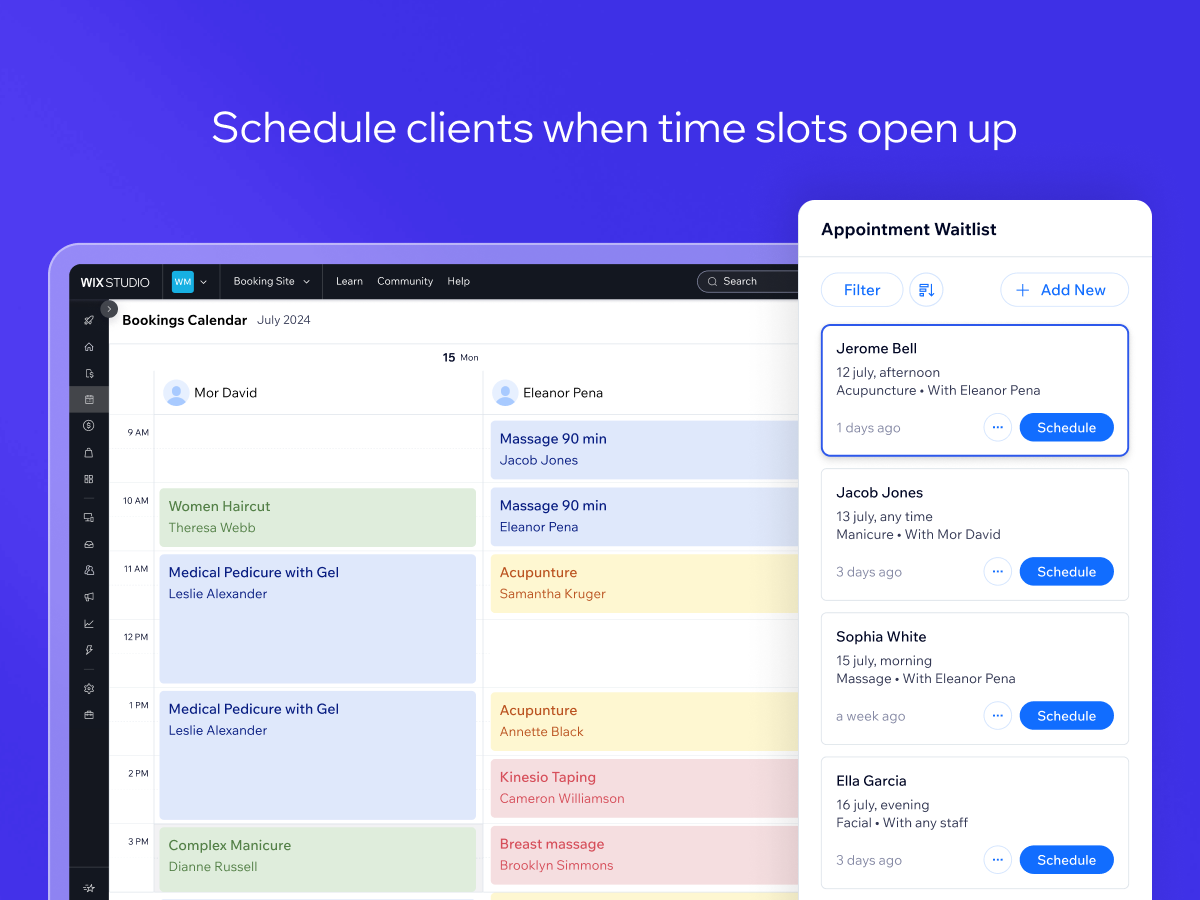
Appointment Waitlist の概要
- Let clients add themselves to a waitlist if they can’t find a time that works for them
- Let admins add clients to the waitlist through the Booking Calendar
- Easily turn spots on the waitlist into scheduled bookings
利用できる国:
このアプリは世界中で利用できます。アプリ言語:
英語
サイト要件:
-
こちらもチェック:
Hipaa Supported Apps
2.0 平均評価
12件のレビュー
5
2
4
0
3
1
2
2
1
7
並び替え:
ST
Stpierreenterprises/ May 18, 2026
doesn't work at alldoesn't work at all and keeps telling me to set it up even though I have...several times now,
(0)
貴重なご意見ありがとうございました!
GI
Gigishairstudiohs/ May 9, 2026
Terrible..Its terrible. full stop, you're better off having nothing on, you dont get notifications and you can only view it on the website, I contacted Wix about this but nothign was done,...
(0)
貴重なご意見ありがとうございました!
AL
Altaliquidezconsul/ Feb 12, 2026
Travou o editor de sitesO aplicativo simplesmente travou o editor de sites e a equipe do WIX não tem competência técnica para removê-lo da própria suite gerenciada por eles. Extremamente desapontada, porque eu terei que fazer outro...
(0)
貴重なご意見ありがとうございました!
MA
Madpixel69/ Feb 8, 2026
TerribleCan't do anything with it. No notification, no automation, frustrated customers
(5)
貴重なご意見ありがとうございました!
PH
Phaedraflorou/ Jan 27, 2026
RubbishYou don't get notified when someone joins the waitlist. You can only view it in a tucked-away corner of the booking calendar, and only on desktop (not in Wix apps). So unless you...
(5)
貴重なご意見ありがとうございました!